

I design a lot of presentations. It means I’m using Google Slides most days of the week. There are a few features I just couldn’t live without and I think they could help you save time, too!
Aligning items
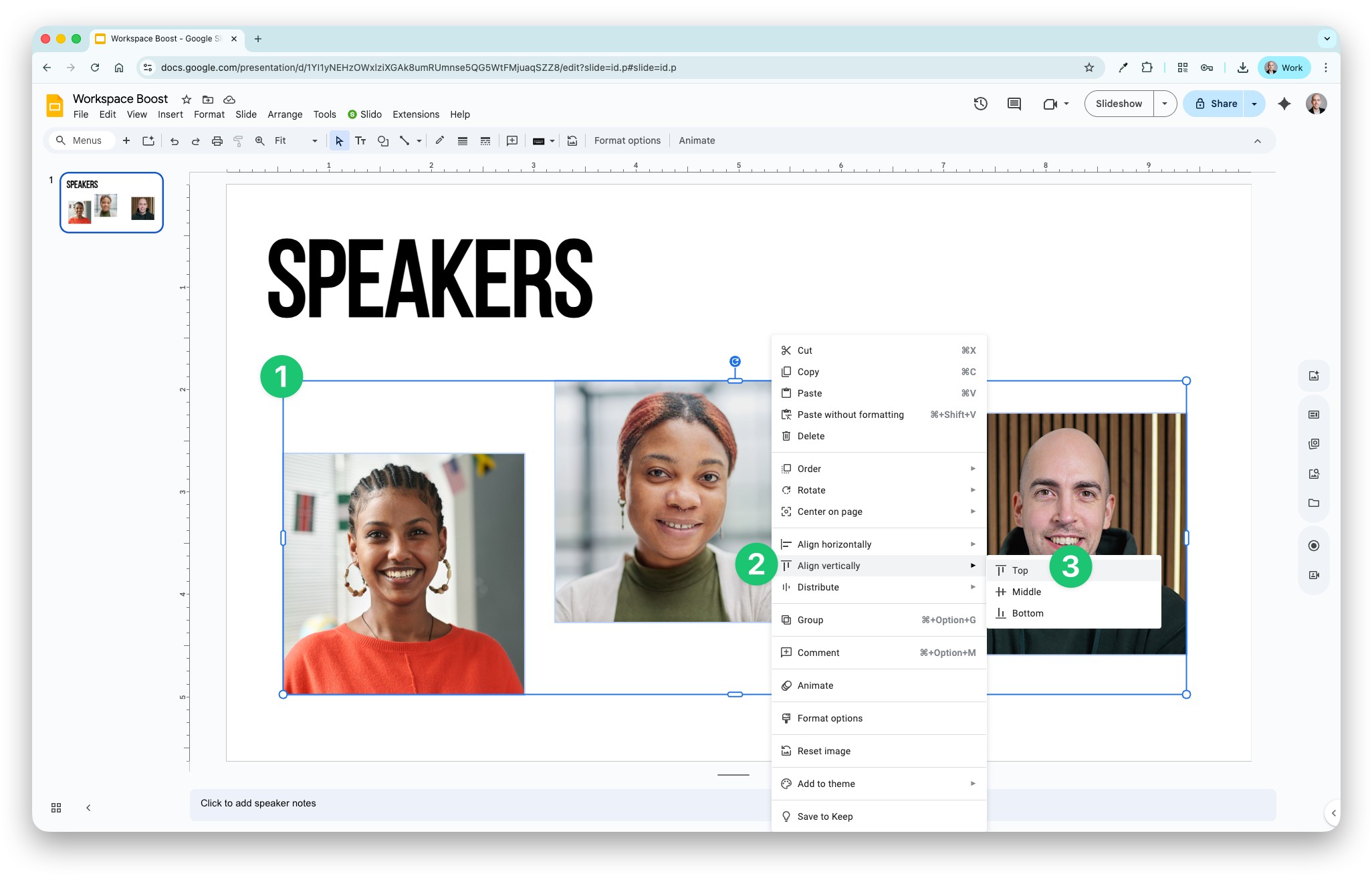
You’ve probably spent hours clicking and dragging to move things around to make them line up. No need…
- Click and drag to highlight the items
- Right click and choose ‘Align horizontally’ or ‘Align vertically’
- Choose left, centre, or right, or top, middle or bottom
Distributing items
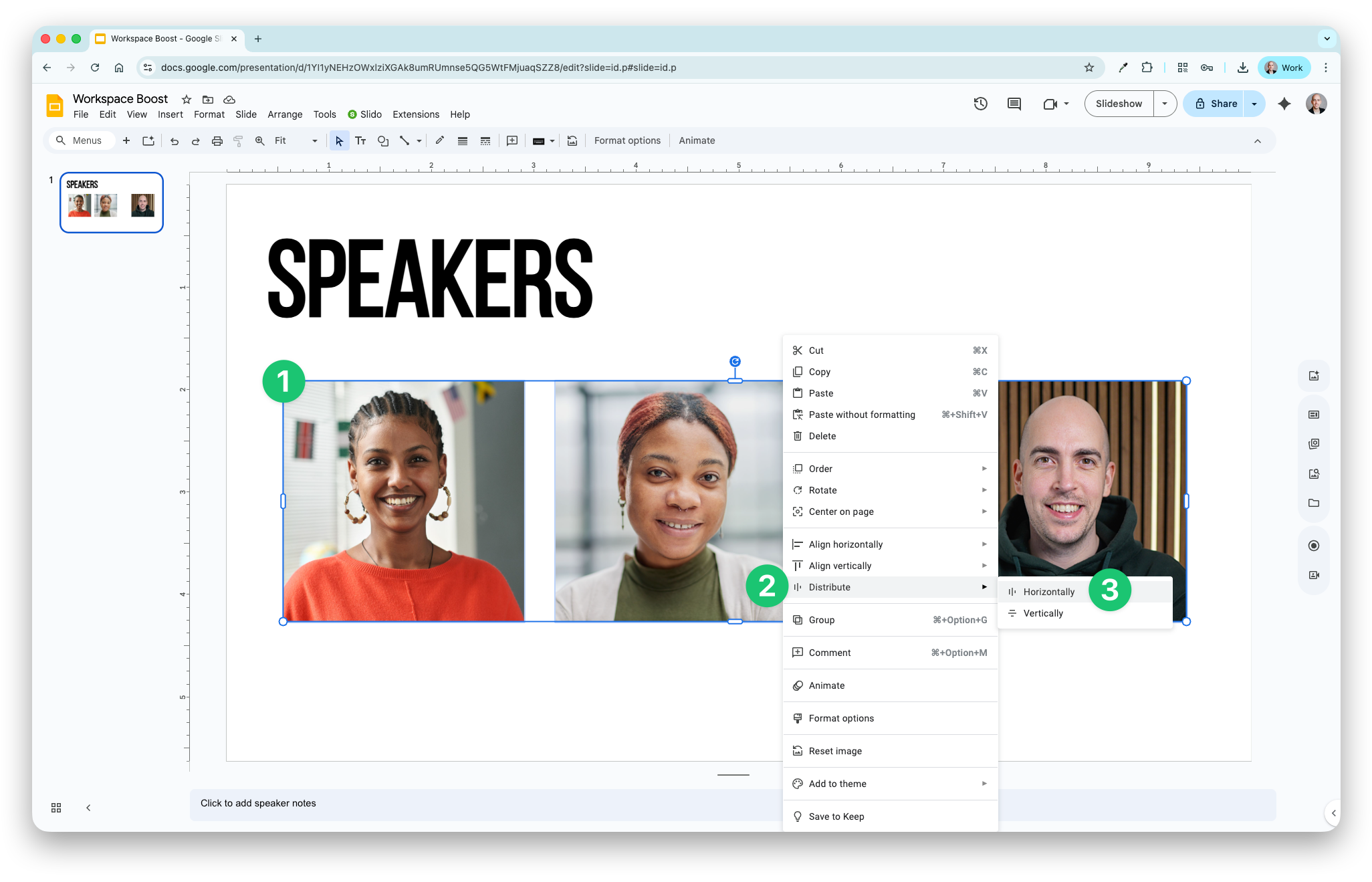
Similarly, often we need to click and drag items like headshot images to evenly space them. Again, no need - just do this instead:
- Click and drag to highlight the items
- Right click and choose ‘Distribute’
- Choose horizontally or vertically
Removing backgrounds
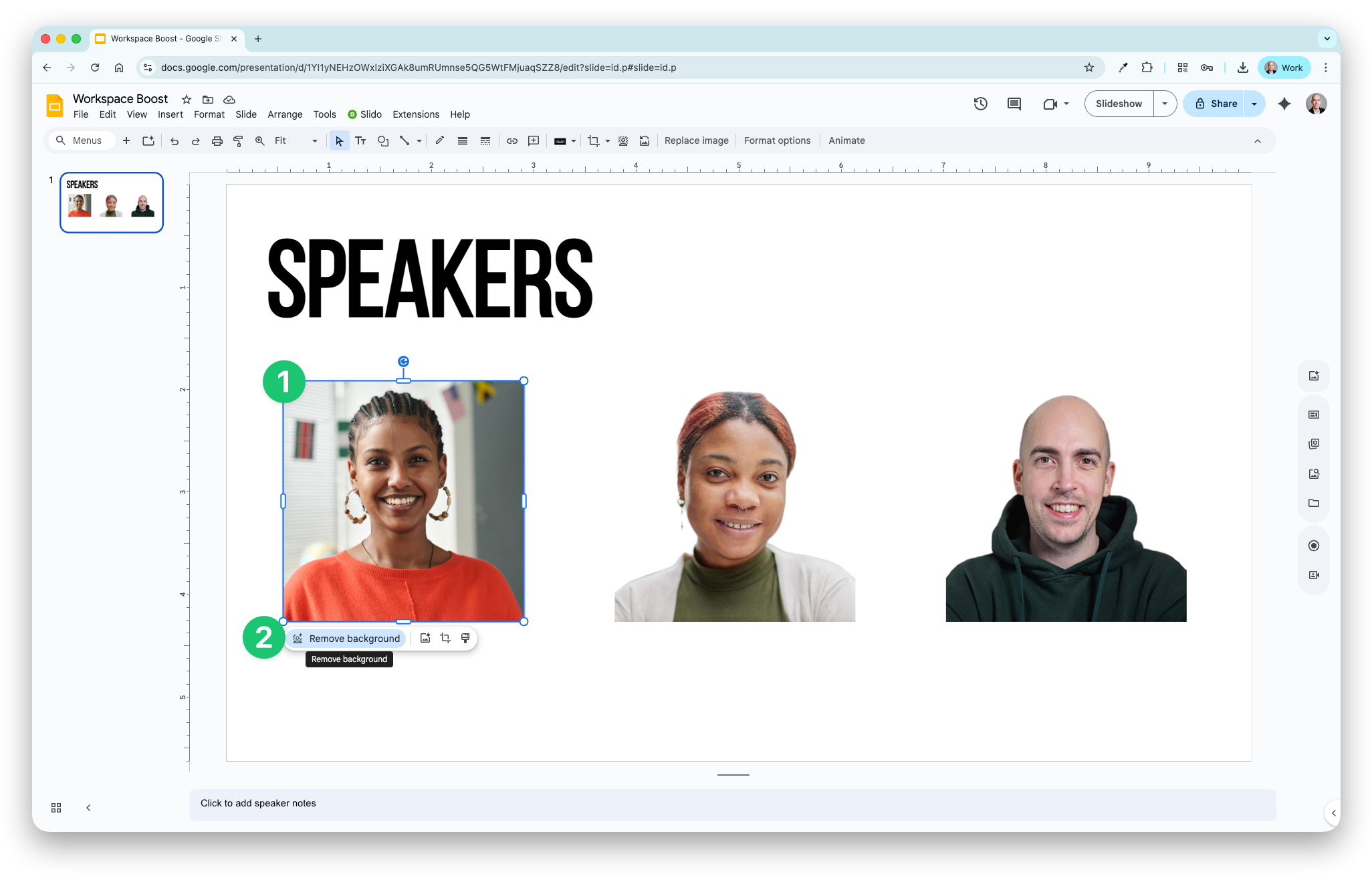
Talking of speaker headshots - it’s nice to keep them all uniform. In slides you can now easily remove backgrounds from images.
- Click to select the image
- Click the ‘Remove background’ button
Gradient text
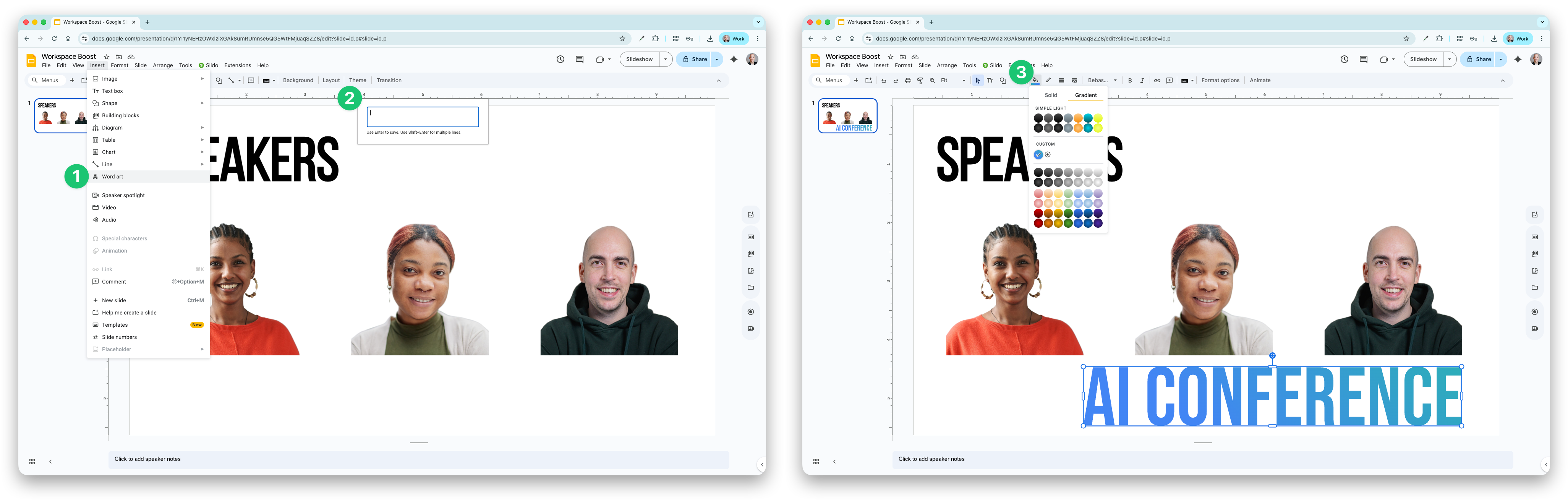
Finally, gradient colours are back on-trend, especially when talking about AI. Slides supports gradients in shapes but not for text. To create gradients with text, use Word Art instead.
- Go to Insert > Word Art
- Enter your text
- Select the gradient colour like you would for any shape
For a simple tool, Google Slides can be very powerful. Have you got a go-to presentation design tip? Share it with the group by clicking the comment button below 👇
See you next week.
Dean